I have two products available for
download. These are T/Maker (the only spreadsheet based
entirely on arithmetic) and WildWords
(the
only crossword game where every word can be played). Both
of these
programs are written as Java Desktop Applications. This allowed me to
have just one version of
each program that
can run under Windows or on a Mac or a number of other environments. It
also allows a consistent look across those platforms. To
run either
or both, you will need Version 8 of something known as the Java
Runtime
Environment
(JRE) from Oracle on your machine.
AI reports JREs are installed on over
a billion machines. There
is not a more practical and perfectly legal choice than downloading the
JRE from Oracle on your own. It installs itself easily along side all
the other drivers, dynamic libraries, and supporting processes you
already have. You will have the best and latest version. It also means
you can take T/Maker and your tables or WildWords to
any other machine that has the JRE and run it there -- Mac, Windows,
and many others.
Prior to 2018 persons like myself were allowed to distribute the JRE
directly to you. Oracle removed that option at that time. It is no
longer legal.
I would suggest you create one
folder to put everything downloaded from my sites (not the JRE
which finds its own place).
You can rearrange folders later for long term purposes.
|
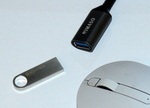 Those who wish
to avoid any download besides the JRE can request a
thumb drive with T/Maker, all examples, and WildWords.
Those who wish
to avoid any download besides the JRE can request a
thumb drive with T/Maker, all examples, and WildWords. To do it, you
must follow the plan
in the video.
To do it, you
must follow the plan
in the video.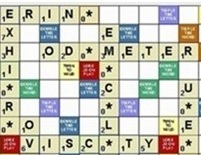 WildWords
is just a single small file. Below is a link to download it. Know where
you put it
and simply run it or move it once it has been downloaded. This is about
a one half second download. To run a jar file after the JRE has
been installed you can click it (WildWords.jar) as you would any other
program.
WildWords
is just a single small file. Below is a link to download it. Know where
you put it
and simply run it or move it once it has been downloaded. This is about
a one half second download. To run a jar file after the JRE has
been installed you can click it (WildWords.jar) as you would any other
program.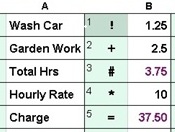 T/Maker is also
just a quick download of a single
small file. You will not get the examples with it but there is that
link above to obtain any of them. You can also update an
older version with a new one by replacing just the TMaker.jar file.
This is simpler then getting the .zip below and having to extract
everything form it.
T/Maker is also
just a quick download of a single
small file. You will not get the examples with it but there is that
link above to obtain any of them. You can also update an
older version with a new one by replacing just the TMaker.jar file.
This is simpler then getting the .zip below and having to extract
everything form it.